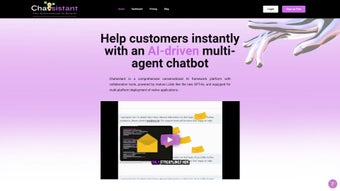

Download Chatsistant – AI‑Powered Customer Support Chatbot for Businesses
Overview – A No‑Code AI Chatbot for Modern Enterprises
Chatsistant is a comprehensive, web‑based AI chatbot framework designed specifically for businesses that want to boost customer engagement without writing a single line of code. The platform combines natural‑language understanding, automated task handling, and multi‑channel integration into a single, secure environment. Whether you run an e‑commerce store on Shopify, a content site on WordPress, or a social‑media support channel on Messenger, Chatsistant can be embedded with a few clicks, delivering instant, personalized assistance to visitors in real time.
The core advantage of Chatsistant lies in its ability to reduce support overhead while simultaneously improving the customer experience. By automating routine inquiries—such as order status, return policies, and FAQ responses—companies can reallocate human agents to high‑value interactions, driving higher satisfaction scores and lower churn. Independent studies show that AI‑driven chat solutions can cut average handling time by up to 45 % and increase first‑contact resolution rates by 30 % when properly trained.
What sets Chatsistant apart is its emphasis on both flexibility and security. The solution supports training of bots using your own data sets, allowing the AI to learn the nuances of your brand voice and product catalog. It also offers a live‑chat escalation feature, so human agents can intervene whenever a conversation exceeds the bot’s confidence threshold. This hybrid approach reduces support costs while maintaining a high level of service quality.
Security‑focused businesses will appreciate the platform’s roadmap toward ISO certification, encrypted data storage, and GDPR‑compliant handling of personal information. Multilingual support ensures that global audiences receive accurate answers in their native language, and the ability to ingest PDFs, CSVs, and other file formats guarantees that the bot can reference up‑to‑date documentation when answering complex queries. In short, Chatsistant delivers a ready‑to‑use, scalable AI chat solution that adapts to the unique workflows of any organization, from startups to multinational corporations.
Beyond support, the chatbot can be leveraged for lead capture, appointment scheduling, and even internal knowledge‑base queries, turning it into a versatile digital assistant that works around the clock. Its analytics engine provides actionable insights into user intent trends, enabling product teams to refine offerings based on real‑world conversation data.
Powerful Features, Real‑World Benefits, and Honest Pros & Cons
Key Feature Set
- Drag‑and‑drop bot builder – no coding required, allowing marketing and support teams to prototype in minutes.
- Seamless integration with Shopify, WordPress, Messenger, Slack, and more, reducing the need for custom middleware.
- Multi‑language support for 25+ languages, with easy toggling for regional sites.
- Live‑chat handover to human agents with contextual history, ensuring a smooth transition from bot to person.
- Training module that learns from your FAQs, product catalogs, and uploaded PDFs, continuously improving answer accuracy.
- Advanced analytics dashboard – track conversation volume, resolution rates, sentiment, and ROI with visual reports.
- Secure, ISO‑certification‑in‑progress data handling and GDPR compliance, featuring AES‑256 encryption at rest.
- Customizable response templates and rich media (images, buttons, carousels) to create engaging conversational UI.
- Automated workflow triggers – order status checks, appointment booking, ticket creation, and CRM updates.
- Scalable cloud hosting with auto‑scaling during peak traffic, guaranteeing low latency even during flash sales.
- Webhook and API access for developers who need deeper integrations or custom business logic.
- 24/7 technical support and dedicated account managers for enterprise customers.
Pros
- Rapid deployment – get a functional bot live within hours.
- Zero‑code interface lowers the barrier for non‑technical teams.
- Robust integration ecosystem reduces the need for third‑party connectors.
- Live‑chat escalation preserves the human touch for complex issues.
- Strong security posture aligns with enterprise compliance requirements.
- Rich analytics turn conversation data into strategic insights.
- Multi‑language capability expands reach without extra translation services.
Cons
- Advanced customizations (e.g., deep API logic) may still need developer assistance.
- Pricing tiers can become expensive for very high‑volume enterprises.
- Initial training data preparation requires time and careful curation.
- While the platform is highly configurable, some niche channel integrations are not yet native.
Overall Verdict: Chatsistant balances ease of use with powerful AI capabilities, making it an excellent choice for businesses that want to modernize support without heavy engineering overhead.
Getting Started – Installation, Configuration, and Compatibility
Step‑by‑Step Installation
- Visit the official Chatsistant website and click “Start Free Trial”.
- Register using your business email; a verification link will be sent.
- After verification, log in to the dashboard and choose a template that matches your industry (e‑commerce, SaaS, services, etc.).
- Use the visual builder to add intents, responses, and fallback messages. Drag‑and‑drop widgets make it intuitive.
- Connect your preferred channels via the “Integrations” tab – simply authenticate Shopify, WordPress, or Messenger and map the bot to the appropriate storefront.
- Upload supporting documents (PDFs, CSVs) under “Knowledge Base” so the AI can reference them during conversations.
- Run the “Test Bot” mode to simulate interactions and fine‑tune responses.
- Enable “Live Chat Handover” and assign support agents to receive escalated tickets.
- Publish the bot. A snippet of JavaScript or a native plugin is provided for quick embedding.
- Schedule a brief onboarding call with a Chatsistant specialist to review analytics setup and best‑practice training workflows.
Usage Tips for Maximum Efficiency
Once live, monitor the analytics panel daily. Identify high‑frequency queries and expand the bot’s knowledge base accordingly. Use the “Confidence Score” filter to set thresholds for when the bot should automatically transfer a conversation to a human. Regularly retrain the model with fresh data to keep accuracy above 90 %.
Take advantage of the “Smart Suggestions” feature, which highlights ambiguous intents that need clarification. Incorporate those suggestions into your training set to reduce fallback rates. For businesses with seasonal spikes, pre‑load promotional FAQs and temporary product catalogs to avoid manual updates during high‑traffic periods.
Leverage webhook integrations to push conversation metadata into your CRM or ticketing system, creating a seamless support pipeline. This not only automates data entry but also enriches agent context when handover occurs, improving first‑contact resolution.
System Compatibility
Chatsistant is a cloud‑hosted SaaS solution, so it works on any modern browser (Chrome, Edge, Firefox, Safari) across Windows 10/11, macOS, Linux, as well as mobile platforms (Android 8+ and iOS 13+). No local installation is required, which simplifies IT management and ensures that updates are applied automatically without downtime. For enterprises that prefer an isolated environment, a private‑cloud deployment option is available upon request.
The platform also offers native mobile SDKs for Android and iOS, enabling developers to embed the chatbot directly into native apps while preserving the same AI engine and analytics backend. Whether your customers interact via web, mobile, or social channels, Chatsistant delivers a consistent experience.
Conclusion – Should You Choose Chatsistant?
Chatsistant delivers a well‑rounded AI chatbot experience that marries simplicity with enterprise‑grade features. Its no‑code builder empowers marketing and support teams to launch bots quickly, while the underlying machine‑learning engine provides the depth needed for accurate, context‑aware responses. The platform’s emphasis on security and multi‑channel integration makes it a compelling option for businesses looking to reduce support costs, improve response times, and maintain a consistent brand voice across digital touchpoints.
If you’re ready to modernize your customer service, the best next step is to sign up for the free trial, explore the template library, and test the bot on a low‑traffic page. The live‑chat handover ensures you never sacrifice quality, and the analytics dashboard gives you the data needed to continuously refine the experience. Organizations that have adopted Chatsistant report an average 25 % reduction in support ticket volume within the first three months, alongside higher Net Promoter Scores (NPS) due to faster resolution.
For small businesses, the entry‑level plan offers all core functionalities at a predictable monthly fee, while larger enterprises can benefit from usage‑based pricing and dedicated account management. The flexible pricing model means you can start small, prove ROI, and then scale without a disruptive migration.
Frequently Asked Questions
-
Is any coding required to set up Chatsistant?
No. The visual bot builder allows you to create intents, responses, and workflows using drag‑and‑drop components. Coding is only needed for highly custom API integrations.
-
Can Chatsistant handle multiple languages?
Yes. The platform supports more than 25 languages out of the box, and you can add custom language packs for niche markets.
-
How secure is the data stored by Chatsistant?
Chatsistant uses AES‑256 encryption for data at rest, TLS 1.3 for data in transit, and is pursuing ISO 27001 certification to meet enterprise security standards.
-
What pricing model does Chatsistant offer?
There is a free trial with limited monthly interactions. Paid plans start at $49 per month for small businesses and scale up with usage‑based pricing for larger enterprises.
-
Can I integrate Chatsistant with my existing CRM?
Yes. Native connectors for HubSpot, Salesforce, and Zoho are available, and a generic webhook interface lets you sync data with any CRM.
-
Is there a mobile app version of the chatbot?
Chatsistant provides native SDKs for Android and iOS, allowing you to embed the same AI engine directly into your mobile applications.
Ready to transform your customer support? Download Chatsistant today and start your free trial. Experience a smarter, faster, and more secure way to engage customers across every channel.



.png)



